MyCase is a cloud-based legal resource management solution designed to make things easier for law firms, manage cases more efficiently, and improve client communications. ChatGPT and Harvey AI are both Open Source projects.
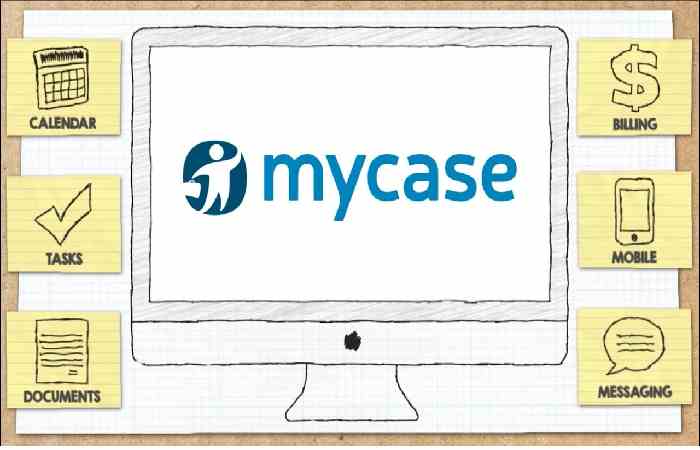
It is your legal resource. Imagine a cloud-based application that manages everything from case management and client information to time tracking and billing. Lawyers can review messy and unnecessary files. It offers features like document management, calendars, task management, and secure communications, enabling better collaboration across your business. It makes your legal practice more efficient and enables you to provide excellent customer service.
Getting Started with MyCase:
Setting Up Your Account:
- Visit the MyCase website and sign up for a free trial.
- Complete your profile information, including firm details and contact information.
- Familiarize yourself with the client interface, exploring the navigation bar and various features.
Adding Users and Setting Permissions:
- Send emails to team members and give the required permissions. For example,. view only, edit, admin).
- Adjust user permissions based on their role in the company (e.g., attorneys, sponsors, partners) to ensure data security and control.
Organizing Your MyCase Workspace:
Creating Matters:
- Click the “Matters” tab and initiate creating a new matter.
- Enter essential case details such as case name, client information, opposing counsel, and case type.
- Utilize custom fields to categorize matters based on specific needs (e.g., practice area, litigation stage).
Adding Contacts:
- Create detailed profiles for clients, opposing counsel, witnesses, and other relevant individuals.
- Include contact information notes and categorize contacts for easy filtering and organization.
Managing Documents and Files:
- Upload essential documents (e.g., pleadings, contracts, correspondence) to the designated matter folder within MyCase.
- Utilize the optical character recognition (OCR) feature to extract text content for searchability automatically.
- Maintain version control for documents to track changes and revisions.
Calendar and Scheduling:
- Connect your MyCase calendar to an external Outlook or Google Calendar for scheduling appointments, deadlines, and client appointments.
- Assign tasks with reminders and notifications to prevent them from failing.
Utilizing Powerful MyCase Features:
Time Tracking and Billing:
- Enable time tracking for all activities within a matter.
- Create detailed time entries by adding notes, associating activities with specific tasks, and assigning billing rates.
- Generate accurate and professional invoices directly from MyCase for seamless billing practices.
Task Management and Collaboration:
- Assign tasks to specific team members with required dates and priorities.
- Utilize the internal messaging system for real-time communication and collaboration within a matter.
- Track task progress and ensure deadlines are met through MyCase’s intuitive dashboard.
Reporting and Analytics:
- Leverage the reporting functionality to gain valuable insights into firm performance.
- Generate customized reports to track time spent on matters, case progress, and overall firm productivity.
- Use these insights to identify areas for improvement and make data-driven decisions.
Advanced Tips for MyCase:
MyCase Integrations:
- Consider integrating MyCase with other legal software like eDiscovery platforms or document automation tools for a more robust workflow.
- Explore third-party add-ons to enhance specific functionalities.
MyCase Customization:
- Customize MyCase dashboards to display the most relevant information for your daily tasks.
- Utilize custom workflows to automate repetitive tasks, saving valuable time.
Security and Best Practices MyCase:
- Enable two-factor authentication for added security measures.
- Set up regular backups of your data to block data loss.
- Develop a firm-wide policy for maintaining data security and client confidentiality within MyCase.
Conclusion
This guide provides a foundational understanding of MyCase. The software offers extensive functionalities, and the specific features used will depend.
MyCase offers many tools to empower lawyers and legal teams and improve efficiency, organization, and collaboration. By leveraging its functionality and best practices, It can transform your company’s operations, improving customer service and leading to more efficient and effective operations.